Samsung 990 PRO 2TB SSD Review: Still the King of PCIe 4.0 in 2026?
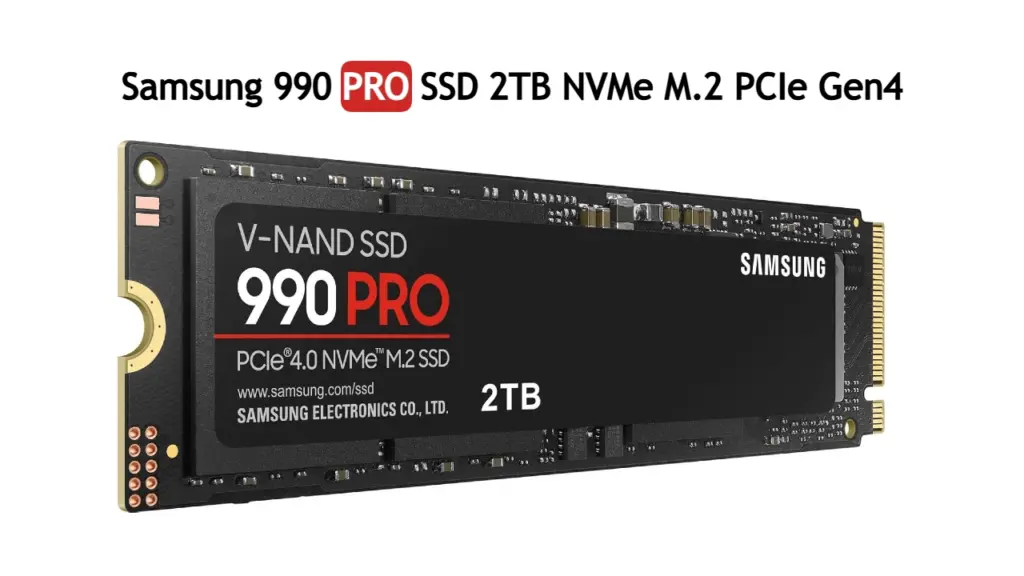
Samsung 990 PRO 2TB Review: Still the Best PCIe 4.0 SSD in 2026?
Look, we all want the fastest storage possible, but sometimes the marketing hype gets ahead of reality. We’re deep into 2026 now, and while PCIe 5.0 is starting to show up, PCIe 4.0 is still the sweet spot for most builds. The Samsung 990 PRO 2TB has been a dominant force in this space for a while. The big question is: does it still hold up, or have newer drives and evolving tech left it in the dust?
Let’s cut to the chase. If you’re building a new high-end PC or upgrading a PS5, and you’re not ready to jump into the often more expensive and less widely supported PCIe 5.0 world, the 990 PRO is still a very, very strong option. It’s not the *only* option, mind you, but it’s the one that consistently offers a great blend of raw speed, reliability, and that Samsung polish we’ve come to expect.
Recommended Amazon Picks
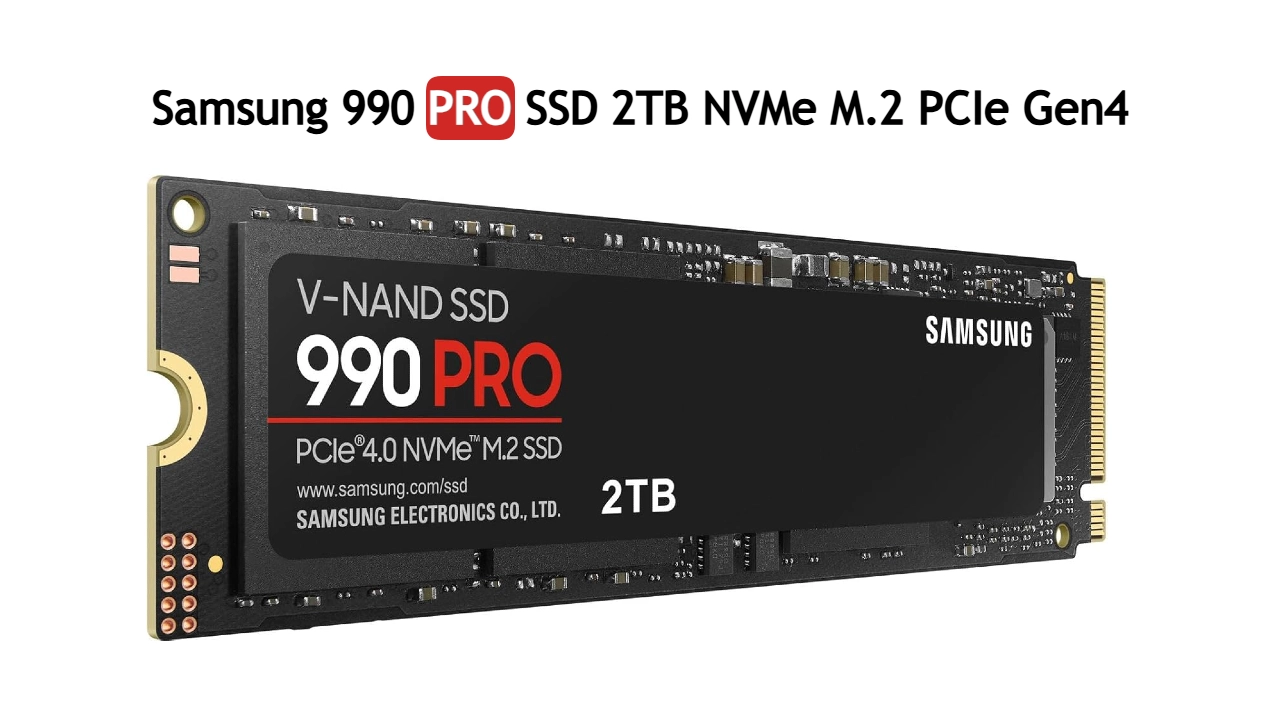
Samsung 990 PRO 2TB
Best if you want maximum performance and do not mind paying for the larger, heavier setup.
The Samsung 990 PRO 2TB is a flagship PCIe 4.0 NVMe SSD designed for gamers, creators, and professionals. With blazing-fast read speeds up to 7,450 MB/s and write speeds up to 6,900 MB/s, it delivers exceptional performance for gaming, content creation, and demanding workloads.
- CPU: Compatible with Intel and AMD platforms supporting NVMe PCIe M.2 slots
- Storage: 2TB PCIe 4.0 NVMe SSD
- Price: Premium
- Best for: Gaming PCs, PlayStation 5, Content Creation, Video Editing, High-End Workstations
Pros
- Exceptional PCIe 4.0 performance
- Up to 7,450 MB/s read speed
- Up to 6,900 MB/s write speed
- Excellent gaming and workstation performance
- High power efficiency
- Reliable Samsung V-NAND technology
Cons
- Premium price compared to budget SSDs
- Requires PCIe 4.0 for maximum performance
- No integrated heatsink on standard version
- Overkill for basic office use
Real-World Performance: Does the Speed Actually Matter?
Specs are one thing – 7,450 MB/s read and 6,900 MB/s write speeds sound impressive on paper. But what does that translate to when you’re actually using your computer? For most people, the difference between a top-tier PCIe 4.0 drive and an even faster PCIe 5.0 drive in everyday tasks like booting Windows or opening applications is negligible. Where you *will* notice it is in specific scenarios.
Gaming Load Times
This is where many gamers focus their attention. Loading into massive open-world games like the latest installments of the ‘Cyberpunk’ or ‘Starfield’ series can still take a significant chunk of time. The 990 PRO 2TB does an excellent job here. While it might shave off a second or two compared to other high-end PCIe 4.0 drives, the real win is consistency. You get consistently fast load times, and it ensures that your storage isn’t the bottleneck when you’re eager to jump into the action.
Windows Responsiveness and General Use
Booting up Windows 11 is snappy. Opening large files, multitasking with multiple browser tabs, and running general productivity software feels smooth. The 990 PRO’s excellent random read/write performance is key here. It means the drive can handle lots of small, scattered data requests quickly, which is exactly what your operating system and applications do constantly.
File Transfers and Large Data Sets
Moving large files, like video projects or massive game installations, is where the sequential read/write speeds shine. Copying a 100GB folder might take roughly the same amount of time on most decent PCIe 4.0 drives, but when you’re dealing with terabytes of data over time, the 990 PRO’s sustained performance means you’re not staring at a progress bar for ages.
It’s particularly noticeable when dealing with uncompressed video footage or large datasets for scientific work.
Content Creation and Video Editing
For video editors and content creators, storage speed is critical. Working with 4K, 8K, or RAW footage means dealing with enormous files. The 990 PRO 2TB handles these workloads with aplomb. Scrubbing through timelines in editing software like Adobe Premiere Pro or DaVinci Resolve feels fluid, and rendering complex projects is faster than on slower drives. While a PCIe 5.0 drive might offer a further boost, the 990 PRO provides a significant upgrade over older NVMe drives and SATA SSDs, making it a practical choice for most creators without forcing a complete platform overhaul.
Gaming Console Performance (PS5)
The PlayStation 5 has strict requirements for its internal SSD expansion. The 990 PRO 2TB meets these requirements and delivers performance that matches or exceeds the console’s internal SSD. This means you can install more games directly onto the SSD and enjoy fast loading times without any compatibility headaches. It’s a straightforward way to massively expand your PS5’s storage and gaming experience.
What About the Competition and Value?
Here is the thing: the 990 PRO isn’t the cheapest PCIe 4.0 SSD out there. Drives from Crucial, WD_BLACK, and even Samsung’s own EVO line can often be found for less. However, the premium price of the 990 PRO is usually justified by its top-tier performance, Samsung’s reputation for reliability, and excellent endurance ratings. In 2026, as PCIe 5.0 drives become more common, the price of high-quality PCIe 4.0 drives like the 990 PRO has generally become more competitive, making it a smarter buy than ever for those who don’t need the absolute bleeding edge.
Key Specifications Comparison
Let’s look at how the Samsung 990 PRO 2TB stacks up:
| Feature | Samsung 990 PRO 2TB |
|---|---|
| Capacity | 2TB |
| Interface | PCIe 4.0 NVMe M.2 |
| Sequential Read Speed | Up to 7,450 MB/s |
| Sequential Write Speed | Up to 6,900 MB/s |
| Controller | Samsung Pascal Controller |
| NAND Flash | Samsung V-NAND |
| Form Factor | M.2 2280 |
| Endurance (TBW) | 1200 TBW |
| Warranty | 5-Year Limited Warranty |
| PS5 Compatible | Yes (requires heatsink) |
| Heatsink Included | No (standard model) |
Who Should Buy the Samsung 990 PRO 2TB?
Gamers: If you want fast, consistent load times and your motherboard supports PCIe 4.0, this is a fantastic choice. It’s also a great upgrade for the PS5.
Content Creators & Professionals: For video editing, large file management, and demanding workstation tasks, the 990 PRO offers a significant performance boost without the extreme cost of PCIe 5.0.
Enthusiasts Building a High-End PC: If you’re building a system where every component matters and you want a top-tier, reliable PCIe 4.0 SSD, the 990 PRO is a logical pick.
Who Might Want to Look Elsewhere?
Budget-Conscious Builders: There are cheaper PCIe 4.0 SSDs that offer perfectly adequate performance for general use and gaming if budget is your primary concern.
Users with Older Systems: If your motherboard only supports PCIe 3.0, you won’t get the full speed out of this drive. A PCIe 3.0 SSD would be more cost-effective.
Those Needing Absolute modern Speed: If you absolutely must have the fastest possible storage and your platform supports it, then a PCIe 5.0 SSD is the way to go, but be prepared for higher costs and potentially more heat.
Final Verdict
The Samsung 990 PRO 2TB is still a champion in the PCIe 4.0 arena. In 2026, it continues to deliver exceptional real-world performance that benefits gamers, creators, and anyone who demands speed and reliability from their storage. While PCIe 5.0 is the new frontier, for the vast majority of users, the 990 PRO offers the perfect balance of speed, maturity, and value.
It’s not just a spec sheet hero; it’s a drive that makes a tangible difference in daily use and demanding tasks. If you’re looking for a top-tier PCIe 4.0 SSD, the 990 PRO 2TB remains one of the best choices you can make.
Frequently Asked Questions
Does the Samsung 990 PRO 2TB need a heatsink?
Yes, for optimal performance and longevity, especially under sustained load (like gaming or heavy file transfers) or when used in a PS5, a heatsink is highly recommended. The standard version does not include one, so you’ll need to ensure your motherboard has one or purchase an aftermarket heatsink, particularly for PS5 use where it’s mandatory.
Is the Samsung 990 PRO 2TB worth it over PCIe 5.0 SSDs in 2026?
For most users, absolutely. PCIe 5.0 SSDs are significantly more expensive, often require solid cooling solutions, and the real-world performance difference in gaming and general use is often minimal compared to the 990 PRO. PCIe 4.0 is still the dominant standard for a reason.
How does the 990 PRO 2TB compare to Samsung’s other SSDs?
The 990 PRO sits at the top of Samsung’s consumer PCIe 4.0 lineup, offering higher speeds and better endurance than the EVO series. It’s designed for enthusiasts and professionals who need maximum performance. For everyday computing and light gaming, an EVO drive might be sufficient and more budget-friendly.
Can I use the Samsung 990 PRO 2TB in an older PCIe 3.0 slot?
Yes, you can physically install and use it, but it will operate at PCIe 3.0 speeds, which are significantly slower than its PCIe 4.0 capabilities. You won’t get the full performance benefits, and a dedicated PCIe 3.0 SSD might offer better value in that scenario.
Is the 2TB capacity enough for modern gaming and content creation?
For many, 2TB is a sweet spot. It provides ample space for a good selection of modern games (which can be 100GB+ each) and enough room for operating systems, applications, and moderate content creation projects. However, professionals working with very large video files or extensive game libraries might consider the 4TB version or supplement it with additional storage.
Leave a Reply