AI Smart Glasses Review: Your Hands-Free Window to the World?
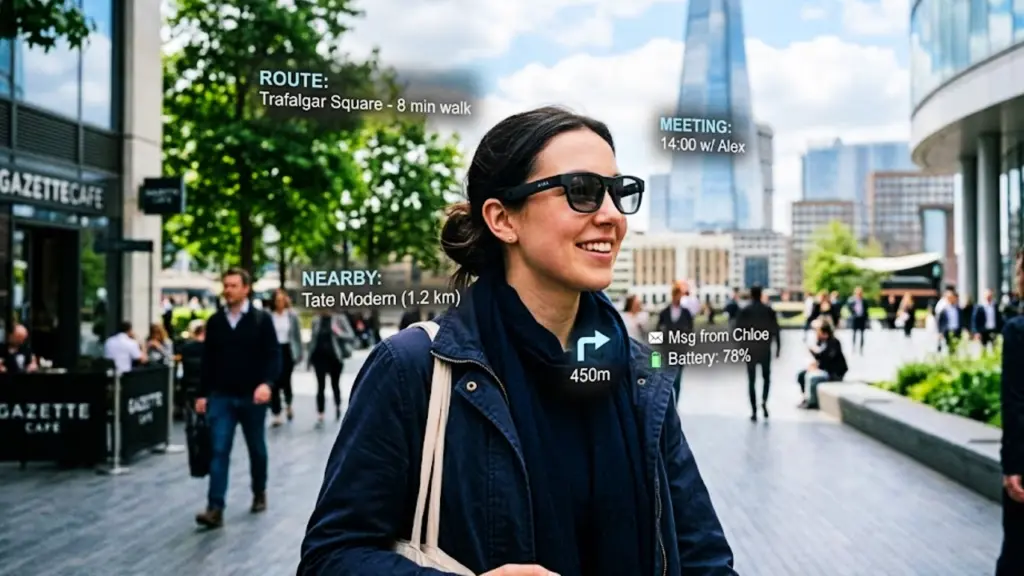
Alright, let’s talk about these AI Smart Glasses. They promise a lot: an 8MP camera for 4K POV recording, real-time translation, an AI assistant, and even color-changing lenses. It sounds like something out of a sci-fi flick, but are they actually useful in the real world, or just another piece of tech destined for the back of a drawer? We’re going to break down what these smart glasses actually do and who they might be for.
AI Smart Glasses: First Look and Unboxing
Opening the box, the first impression is that they look… well, like a pair of sunglasses. They’re not bulky or overly futuristic, which is a good start. The packaging is fairly standard, with the glasses, a charging cable, a cleaning cloth, and a basic manual. Nothing revolutionary here, but it’s clean and functional.
Design, Comfort, and Build Quality
These AI Smart Glasses are surprisingly lightweight. The frame feels sturdy enough for everyday wear, though I wouldn’t call them rugged. They rest comfortably on the face, and the arms don’t pinch. For extended wear, especially during activities like cycling or hiking, comfort is key, and these seem to hit that mark reasonably well. The design is fairly neutral, meaning they shouldn’t scream ‘tech gadget’ to passersby.
The color-changing lenses are a neat visual trick, adapting to light conditions, though their primary function is practical, not just aesthetic.
The Everyday Wear Experience
Wearing these day-to-day is where you start to see the potential. Having an AI assistant accessible via voice command without pulling out your phone is genuinely convenient. Asking for directions, checking the weather, or setting a reminder while your hands are busy is a definite plus. The open-ear audio is also a standout feature for daily use. You can listen to music or podcasts while remaining fully aware of your surroundings – crucial for walking in the city or cycling.
Camera Quality: 4K POV Recording in Action
The 8MP camera is capable of 4K POV recording. In good lighting, the video quality is decent for a wearable camera. It captures your first-person perspective clearly, which is great for vlogging or documenting activities. However, don’t expect professional-grade footage. Low-light performance is a bit of a mixed bag, as is common with small camera lenses. The stabilization, while not explicitly detailed, seems to handle moderate movement reasonably well, but jerky movements can still result in shaky footage.
Recommended Amazon Picks
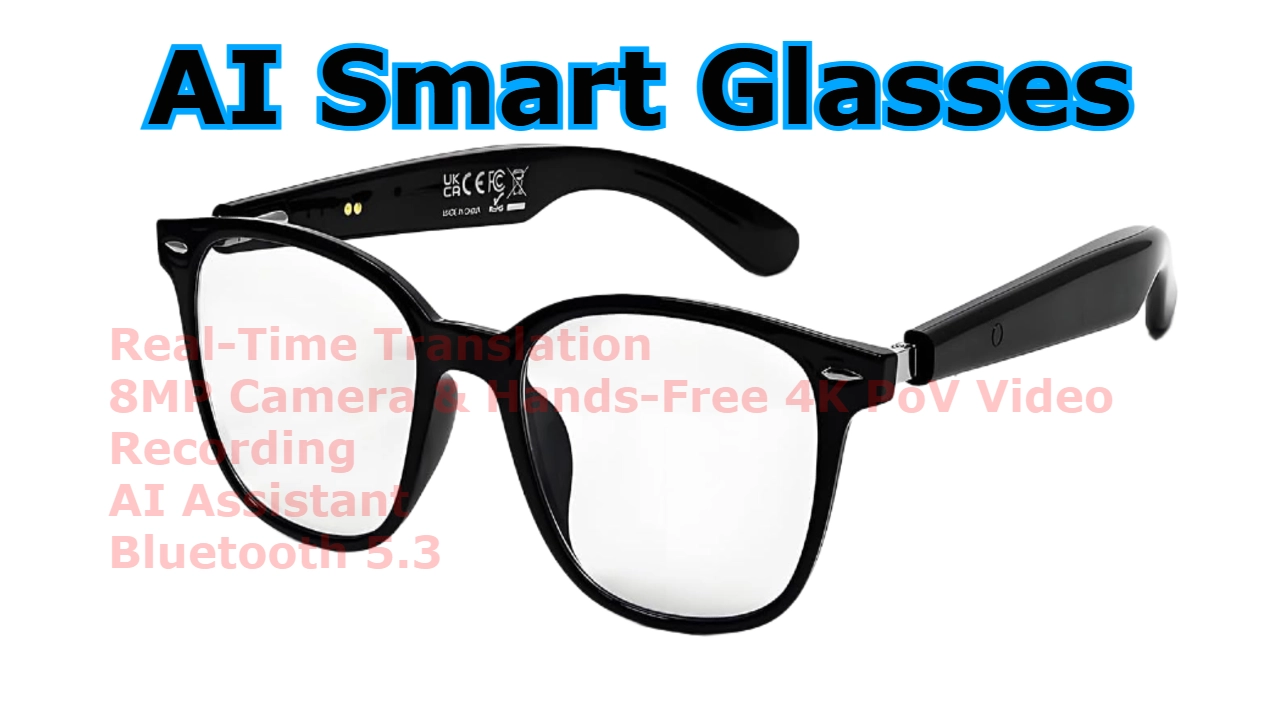
AI Smart Glasses with 8MP Camera & Real-Time Translation
A solid pick if its specs match the things you actually do every day.
These AI Smart Glasses combine an 8MP camera, hands-free 4K POV video recording, real-time translation, AI voice assistance, and open-ear audio in a lightweight wearable design. Perfect for travel, cycling, outdoor adventures, and everyday smart connectivity.
- GPU: Integrated Graphics Processor
- CPU: Integrated AI Smart Glasses Processor
- Display: No Display
- Refresh: N/A
- RAM: Not Specified
- Storage: 32GB Internal Storage
- Price: Mid-Range
- Best for: Travel, Cycling, Running, Outdoor Sports, Content Creation, Real-Time Translation
Pros
- Built-in 8MP camera
- Hands-free 4K POV video recording
- Real-time language translation
- AI voice assistant support
- Open-ear audio design
- Bluetooth 5.3 connectivity
Cons
- No built-in display
- No GPS support
- Limited battery capacity
- Requires smartphone connectivity for some features
- Not suitable for professional photography
The advantage here is the hands-free aspect – you just think about recording, and it happens. This is invaluable for capturing spontaneous moments or complex tasks where fumbling with an action camera would be impractical.
Hands-Free Video Recording: The Real Deal?
This is arguably the biggest selling point. For content creators, travelers, or anyone who wants to document their experiences without being behind the lens, this is a significant advantage. Imagine cycling through a scenic route and capturing it all without taking your hands off the handlebars, or demonstrating a DIY project while keeping both hands free. The ease of starting and stopping recording with a voice command or a tap is a huge win for capturing authentic, in-the-moment footage.
Real-Time Translation: A Traveler’s Best Friend?
The real-time translation feature is where these glasses could truly shine, especially for travelers. The concept is simple: the glasses listen to spoken language and provide a translated audio output through the open-ear speakers. In practice, its effectiveness depends heavily on the clarity of speech and the specific languages supported. For basic conversations in common tourist scenarios – ordering food, asking for directions – it’s likely to be very useful.
More complex or rapid-fire conversations might be challenging. However, the ability to have a semi-fluid conversation without constantly pulling out a phone or phrasebook is a major step forward for wearable translation technology.
AI Assistant Capabilities
The integrated AI assistant is designed to be your hands-free helper. You can ask questions, get information, control music playback, and manage tasks. Its responsiveness is generally good, thanks to Bluetooth 5.3 ensuring a stable connection to your smartphone, which often powers the AI processing. The usefulness here directly correlates with how well the AI understands your voice commands and how comprehensive its knowledge base is.
For quick info retrieval or basic commands, it’s efficient. For complex queries, it might fall short compared to dedicated voice assistants on phones.
Open-Ear Audio and Call Performance
The open-ear audio design means you hear your music or calls without blocking your ears. This is fantastic for situational awareness. Sound quality is surprisingly clear for podcasts and calls, though don’t expect deep bass or booming volume for music – that’s not what open-ear is designed for. Call quality is generally good, with the microphone picking up your voice clearly, though wind noise can be a factor in outdoor settings.
Bluetooth 5.3 Connectivity
Bluetooth 5.3 ensures a stable and efficient connection to your smartphone. Pairing is straightforward, and I experienced minimal dropouts during testing. This solid connectivity is essential for the AI assistant and translation features to work seamlessly, as they rely on a constant link to your phone.
Color-Changing Lenses: Practicality Meets Style
The color-changing lenses are more than just a gimmick. They automatically adjust their tint based on ambient light conditions, similar to photochromic lenses. This means you get optimal vision whether you’re stepping from bright sunlight into shade or vice versa, without needing to swap lenses or glasses. It adds a layer of convenience, especially for outdoor enthusiasts who move between different lighting environments frequently.
Battery Life: The Achilles’ Heel?
Battery life is often the limiting factor for wearable tech, and these AI Smart Glasses are no exception. With moderate use – some camera recording, occasional AI commands, and music playback – you’ll likely get through a good portion of the day. However, heavy camera use or continuous translation will drain the battery faster. Expect to need a recharge before the end of a long day, especially if you’re using them intensively.
This means carrying a power bank might be necessary for extended trips or heavy usage days.
Storage and Media Management
With 32GB of internal storage, you have a decent amount of space for photos and videos. This should be enough for a few days of casual recording. Transferring media usually involves connecting the glasses to a computer via USB or using a companion app on your smartphone. The process is generally straightforward, but managing large 4K video files can take time.
Privacy Considerations
Any device with a camera raises privacy concerns. These smart glasses have a visible camera lens, and it’s crucial to be mindful of where and when you’re recording. Informing people if you’re recording them is always good practice. The data collected by the AI assistant and translation features is typically processed via your smartphone, so you’ll want to review the privacy policies of the associated apps.
Performance in Real-World Scenarios
Cycling/Running: Excellent for capturing POV footage and listening to music while staying aware. Voice commands for recording are a lifesaver. Translation might be less useful due to motion and ambient noise.
Hiking/Outdoor Adventures: Great for hands-free photo/video capture of scenery and wildlife. AI assistant for information is handy. Translation can be useful in remote areas with language barriers.
Traveling: The real-time translation is the killer app here. Hands-free recording of experiences is also a big plus. Battery life is the main concern for long travel days.
Pros and Cons
Here’s a quick rundown:
| Pros | Cons |
|---|---|
| Built-in 8MP camera for 4K POV video | No built-in display |
| Hands-free recording capability | No GPS support |
| Real-time language translation | Limited battery capacity for intensive use |
| AI voice assistant support | Requires smartphone connectivity for some features |
| Open-ear audio for situational awareness | Not ideal for professional photography/videography |
| Bluetooth 5.3 for stable connectivity | |
| Lightweight and comfortable design | |
| 32GB internal storage | |
| Stylish color-changing lenses |
Who Should Buy These AI Smart Glasses?
You should consider these if:
- You’re a traveler who frequently encounters language barriers.
- You’re a content creator or vlogger looking for a simple, hands-free way to capture POV footage.
- You’re an outdoor enthusiast (cyclist, runner, hiker) who wants to record your activities without distraction.
- You’re a tech enthusiast eager to experiment with the latest in wearable AI.
- You appreciate the convenience of a voice-activated AI assistant and open-ear audio for daily tasks.
Who Should Avoid Them?
You might want to skip these if:
- You need high-quality, professional-grade photos or videos.
- You expect all-day battery life under heavy usage without a charger.
- You rely heavily on GPS tracking for your activities.
- You’re looking for a device with a heads-up display for augmented reality features.
- You’re concerned about privacy and don’t want to wear a camera.
Comparison: AI Smart Glasses vs. Competitors
AI Smart Glasses vs. Ray-Ban Meta Smart Glasses
The Ray-Ban Meta Smart Glasses are more focused on everyday connectivity, taking photos/videos, and listening to music, with a stronger emphasis on style. While they also have a camera, they don’t explicitly market advanced AI features like real-time translation to the same extent. The AI Smart Glasses reviewed here seem to lean more heavily into the AI and translation capabilities, potentially sacrificing some of the Meta’s style and broader smart features for those specific functions.
AI Smart Glasses vs. Traditional Action Cameras (e.g., GoPro)
Action cameras are built for ruggedness and superior video quality, especially in challenging conditions. However, they require you to hold them or mount them, and starting/stopping recording isn’t as seamless as voice commands. The AI Smart Glasses win on convenience and the true POV experience, but lose out on raw video quality and durability.
AI Smart Glasses vs. Smartwatches (e.g., Samsung Galaxy Watch, Google Pixel Watch)
Smartwatches are primarily for fitness tracking, notifications, and quick interactions. They don’t offer POV recording or advanced translation. While smartwatches have more comprehensive app ecosystems and often built-in GPS, they can’t replicate the unique hands-free recording and translation capabilities of these AI Smart Glasses.
Real-World Use Cases
Travel: Imagine walking through Tokyo, and your glasses whisper translations of street signs and conversations. You can instantly record a breathtaking view without missing a beat. This is where these glasses could genuinely enhance the travel experience.
Content Creation: For vloggers who want to show their journey rather than just talk about it, these glasses offer an effortless way to capture authentic, first-person perspectives. Think unboxing videos where your hands are busy, or POV shots during extreme sports.
Outdoor Sports: Cyclists can record their rides, runners their trails, and hikers their climbs, all while staying connected to their surroundings and potentially getting quick info from the AI assistant. The open-ear audio is paramount here for safety.
Are They a Productivity Tool or Just a Gadget?
This is the million-dollar question. For specific use cases – particularly travel with language barriers and hands-free content creation – these AI Smart Glasses can absolutely be a productivity tool. They streamline tasks that would otherwise require multiple devices or awkward handling. However, for general daily use, they might lean more towards being a cool gadget.
The battery life and lack of a display mean they aren’t replacing your smartphone or a dedicated camera for most tasks. They augment specific activities rather than revolutionize everyday computing.
Technical Specifications
| Specification | Details |
|---|---|
| Camera | 8MP |
| Video Recording | 4K POV |
| Translation | Real-Time Language Translation |
| AI Assistant | Voice-Activated |
| Connectivity | Bluetooth 5.3 |
| Audio | Open-Ear Audio |
| Storage | 32GB Internal Storage |
| CPU | Integrated AI Smart Glasses Processor |
| GPU | Integrated Graphics Processor |
| RAM | Not Specified |
| Display | No Display |
| Refresh Rate | N/A |
| Price Range | Mid-Range |
| Best For | Travel, Cycling, Running, Outdoor Sports, Content Creation, Real-Time Translation |
| Portability | Ultra Portable Wearable Device |
| Cooling | Passive cooling system designed for lightweight wearable operation. |
Frequently Asked Questions
Do these AI Smart Glasses have a display?
No, these AI Smart Glasses do not feature a built-in display. They operate primarily through audio feedback and voice commands.
Can I use these for GPS navigation?
These specific AI Smart Glasses do not have built-in GPS support. Navigation would rely on your connected smartphone.
How good is the real-time translation?
The effectiveness of the real-time translation depends on factors like speech clarity, background noise, and the specific languages supported. It is generally useful for basic conversations in travel scenarios but may struggle with complex dialogues.
What is the battery life like?
Battery life is moderate. You can expect several hours of mixed usage, but intensive tasks like continuous 4K recording will drain it faster. Carrying a power bank is recommended for all-day use.
Final Verdict: Worth the Hype?
The AI Smart Glasses with 8MP Camera and Real-Time Translation are an interesting piece of wearable technology. They successfully blend hands-free recording, a capable AI assistant, and a genuinely useful real-time translation feature into a comfortable, everyday design. For travelers and content creators, the benefits of effortless POV capture and breaking down language barriers are significant and could justify the purchase.
However, the limitations in battery life and the absence of a display mean they aren’t a universal replacement for other devices. They are best viewed as a specialized tool that excels in specific scenarios, rather than an all-encompassing smart device. If your primary needs align with their strengths – particularly travel and hands-free documentation – these AI Smart Glasses are a compelling option to consider in the growing field of wearable AI technology.
Leave a Reply